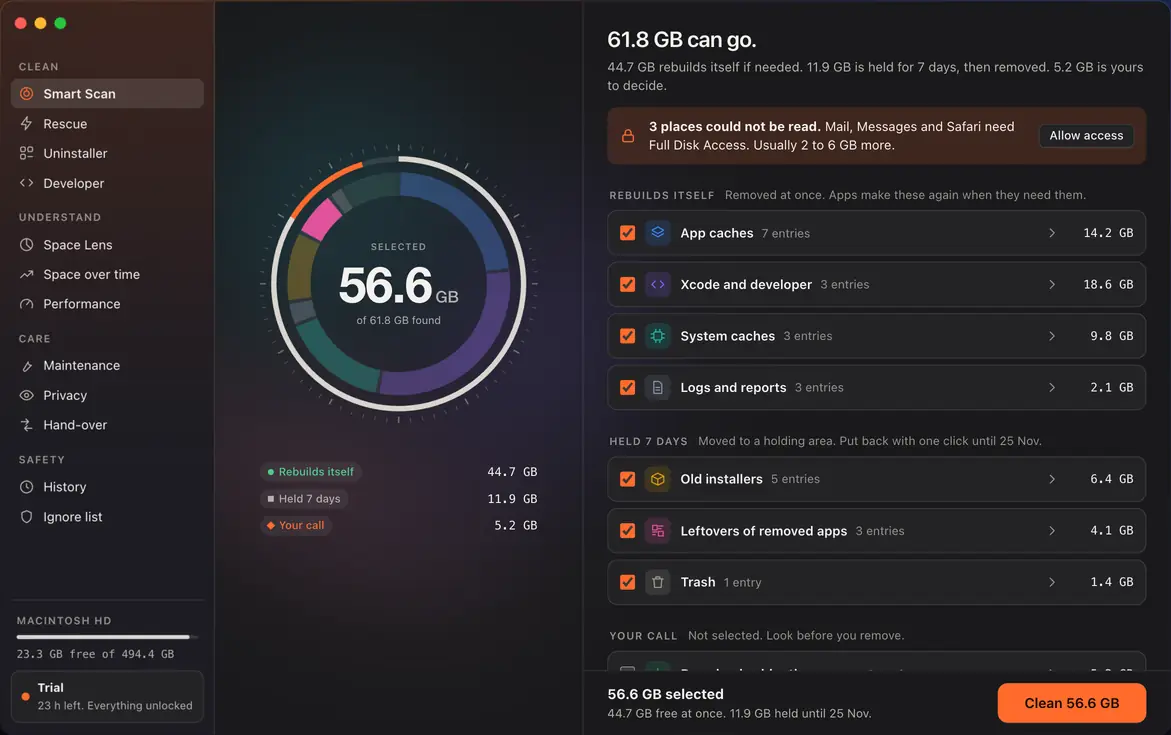
See what can go.
Nothing is removed until you have looked at it.
Last scan 6 days ago. Takes about 40 seconds.
Nothing worth removing.
Next check: Wednesday 25 Nov.
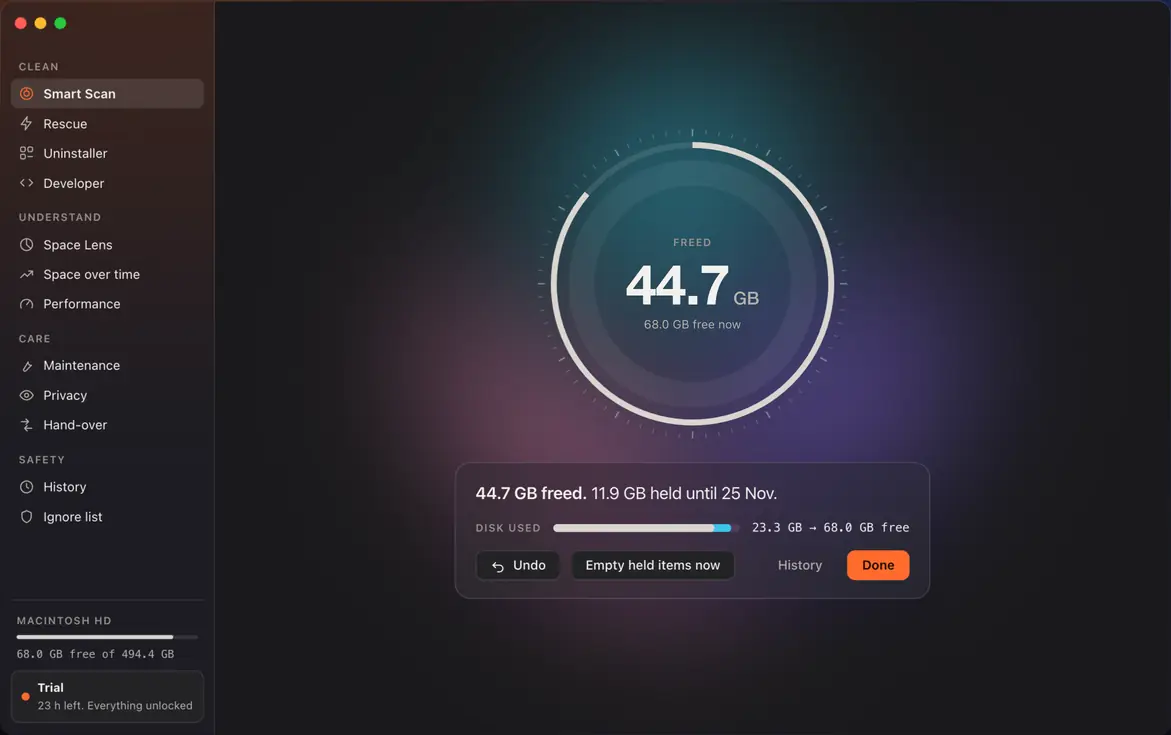
- Rebuilds itself44.7 GB
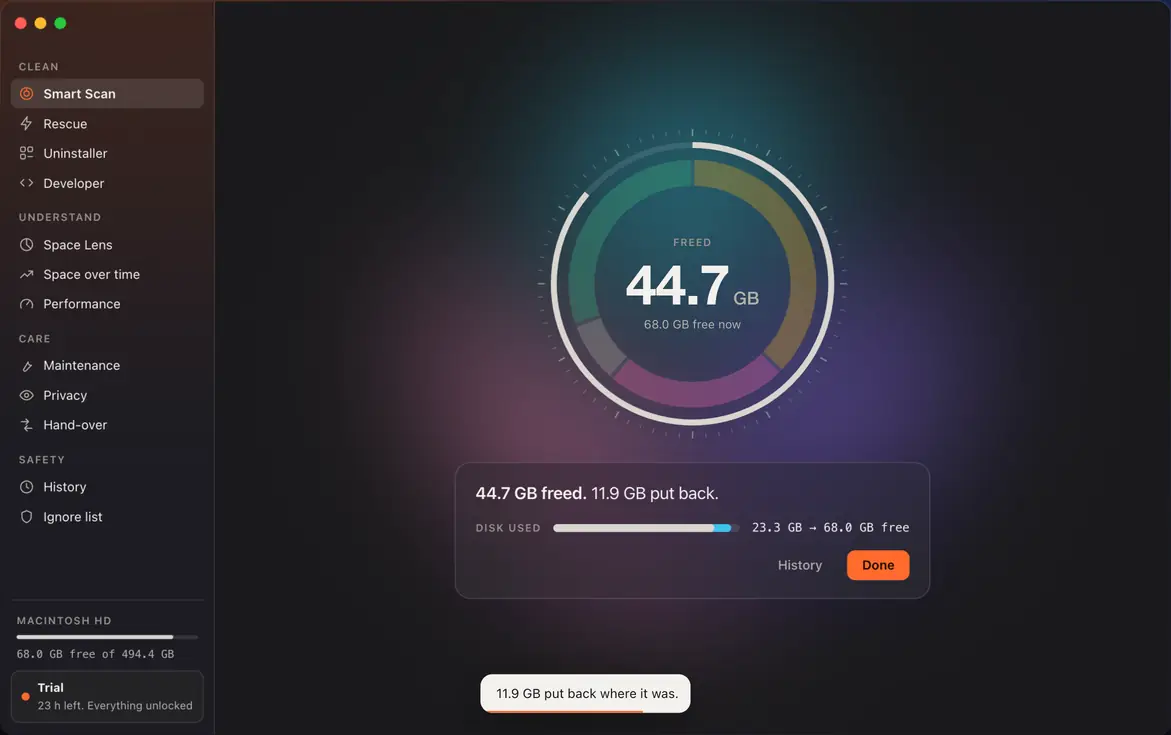
- Held 7 days11.9 GB
- Your call5.2 GB
61.8 GB can go.
44.7 GB rebuilds itself if needed. 11.9 GB is held for 7 days, then removed. 5.2 GB is yours to decide.
Rebuilds itselfRemoved at once. Apps make these again when they need them.
- What it is
- Temporary files apps keep so they open and load faster.
- Does it come back?
- Yes. Each app rebuilds its cache as you use it.
- If you remove it
- Apps may open a little slower the first time.
- Google Chrome~/Library/Caches/Google/Chrome3.8 GB
- Spotify~/Library/Caches/com.spotify.client2.9 GB
- Slack~/Library/Application Support/Slack/Cache2.1 GB
- Figma~/Library/Application Support/Figma/DesktopProfile1.6 GB
- Visual Studio Code~/Library/Application Support/Code/CachedData1.4 GB
- Zoom~/Library/Caches/us.zoom.xos0.9 GB
- 31 other apps~/Library/Caches1.5 GB
- What it is
- Build products, indexes and device files made by Xcode and simulators.
- Does it come back?
- Yes. Xcode rebuilds them on the next build or when a device connects.
- If you remove it
- The next build of each project is a full build.
- DerivedData~/Library/Developer/Xcode/DerivedData11.2 GB
- iOS DeviceSupport~/Library/Developer/Xcode/iOS DeviceSupport4.3 GB
- Simulator caches~/Library/Developer/CoreSimulator/Caches3.1 GB
- What it is
- Caches macOS keeps for fonts, icons, updates and system services.
- Does it come back?
- Yes. macOS rebuilds them in the background.
- If you remove it
- None expected. Needs an administrator password.
- System caches/Library/Caches5.4 GB
- Software update leftovers/Library/Updates2.7 GB
- Font and icon caches/private/var/folders1.7 GB
- What it is
- Text logs and crash reports from apps and macOS.
- Does it come back?
- New logs are written as apps run. Old ones are not needed.
- If you remove it
- Keep them if you are in the middle of reporting a crash.
- App logs~/Library/Logs1.1 GB
- Crash and diagnostic reports~/Library/Logs/DiagnosticReports0.6 GB
- System logs/private/var/log0.4 GB
Held 7 daysMoved to a holding area. Put back with one click until 25 Nov.
- What it is
- Disk images and packages for apps that are already installed.
- Does it come back?
- No, but you can download them again from the maker.
- If you remove it
- None while the app is installed.
- Xcode_26.1.xip~/Downloads3.1 GB
- android-studio-2026.1.dmg~/Downloads1.3 GB
- Creative_Cloud_Installer.dmg~/Downloads1.2 GB
- Docker.dmg~/Downloads0.7 GB
- zoomusInstallerFull.pkg~/Downloads0.1 GB
- What it is
- Support files from apps that are no longer on this Mac.
- Does it come back?
- No. They may hold old settings or documents from those apps.
- If you remove it
- If you reinstall the app, it starts fresh.
- Sketch~/Library/Application Support/com.bohemiancoding.sketch31.8 GB
- Evernote~/Library/Containers/com.evernote.Evernote1.4 GB
- Skype~/Library/Application Support/Skype0.9 GB
- What it is
- Files you already moved to the Trash.
- Does it come back?
- No.
- If you remove it
- Check the Trash if you are not sure what is in it.
- 212 items~/.Trash1.4 GB
Your callNot selected. Look before you remove.
- What it is
- Files in Downloads that you have not opened since November 2025.
- Does it come back?
- No. These are your files.
- If you remove it
- Some may be the only copy.
- conference-recordings.zip~/Downloads2.2 GB
- Q3-offsite-photos~/Downloads1.3 GB
- ubuntu-24.04-desktop-arm64.iso~/Downloads1.1 GB
- 48 smaller files~/Downloads0.6 GB
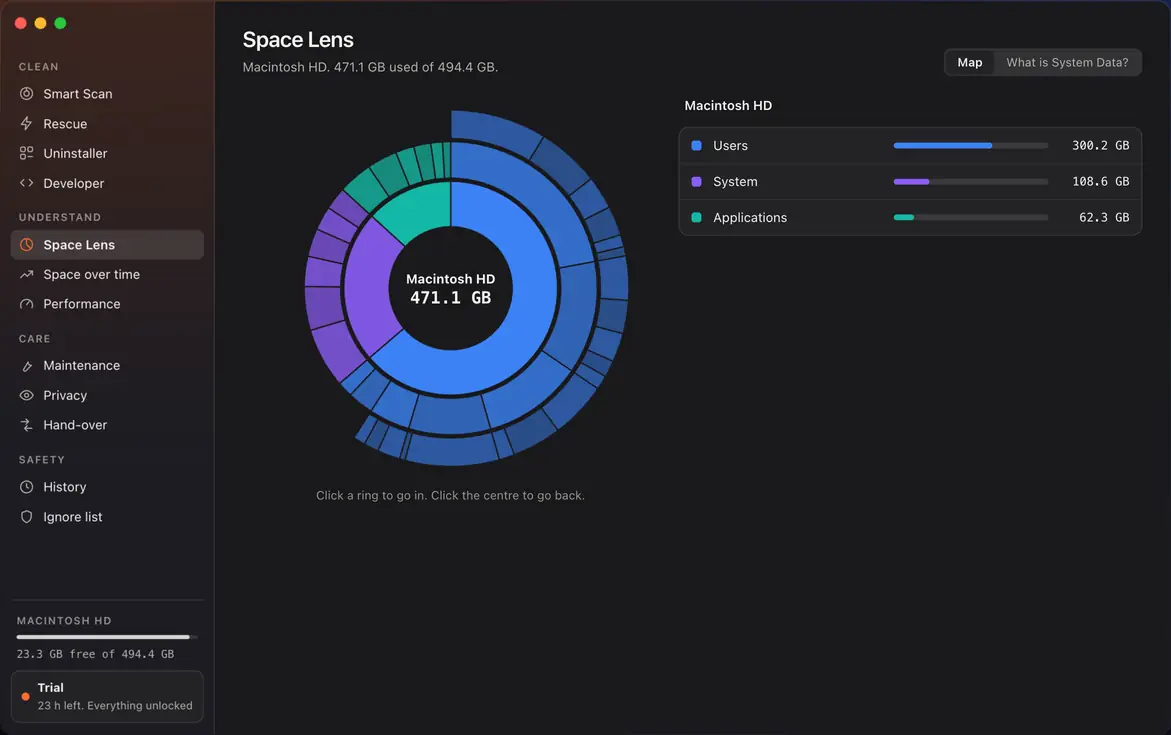
Space Lens
Macintosh HD. 471.1 GB used of 494.4 GB.
Click a ring to go in. Click the centre to go back.
- 31.2 GBLocal snapshotsTime Machine keeps hourly copies on this disk. macOS removes them when space runs low, but slowly.
- 24.8 GBApp containers and supportData that apps store outside your documents: Docker, Steam, editors.
- 24.0 GBCachesApp and system caches. Smart Scan covers these.
- Leave as is9.3 GBMemory swap and sleep imageUsed by macOS when memory is full and when the Mac sleeps. Shrinks after a restart.
- 2.1 GBLogsSmart Scan covers these.
- Leave as is5.0 GBEverything elseFonts, plug-ins, system databases. Leave these.
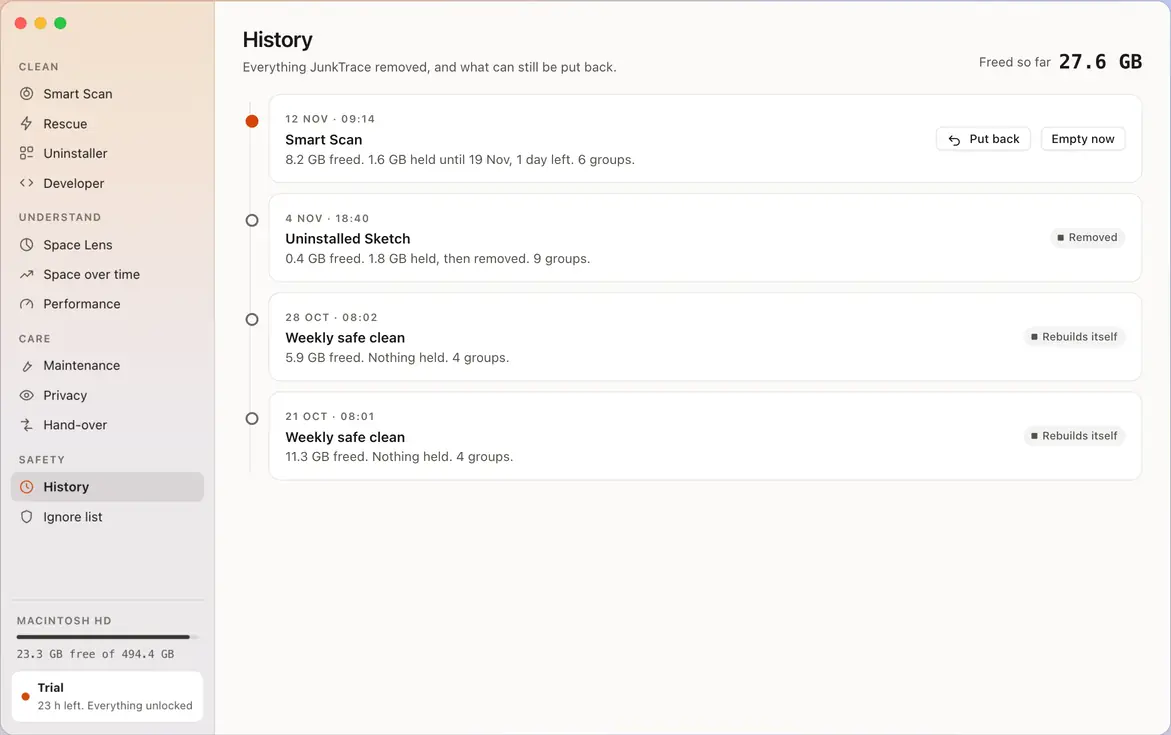
History
Everything JunkTrace removed, and what can still be put back.
Freed so far27.6 GB
- 12 Nov · 09:14HeldSmart Scan8.2 GB freed. 1.6 GB held until 19 Nov, 1 day left. 6 items.
- 4 Nov · 18:40RemovedUninstalled Sketch0.4 GB freed. 1.8 GB held, then removed. 9 items.
- 28 Oct · 08:02Rebuilds itselfWeekly safe clean5.9 GB freed. Nothing held. 4 items.
- 21 Oct · 08:01Rebuilds itselfWeekly safe clean11.3 GB freed. Nothing held. 4 items.
Rescue did not load. See it in Features
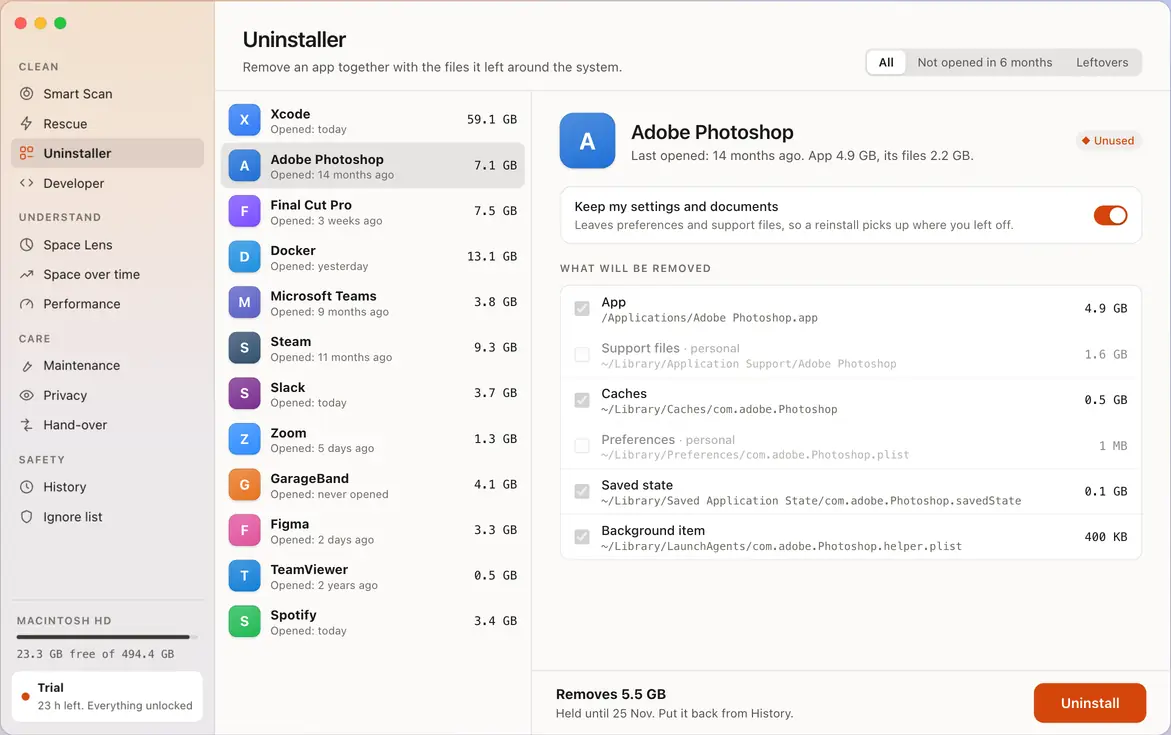
Uninstaller did not load. See it in Features
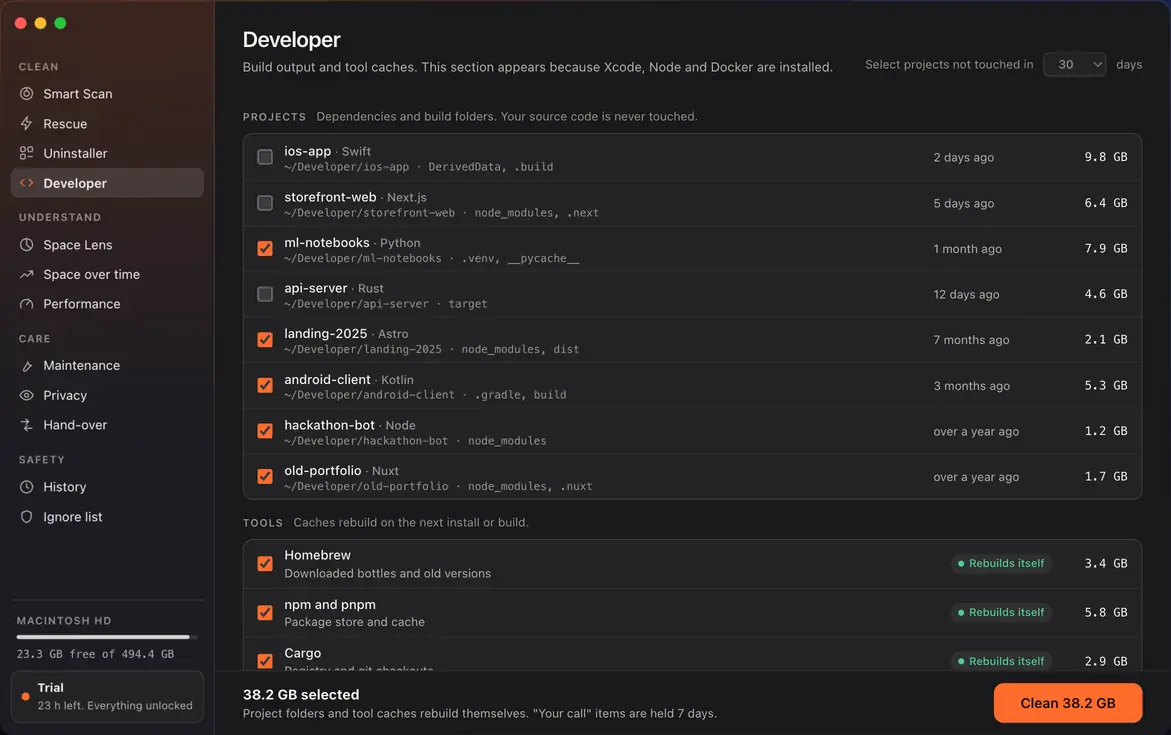
Developer did not load. See it in Features
Space over time did not load. See it in Features
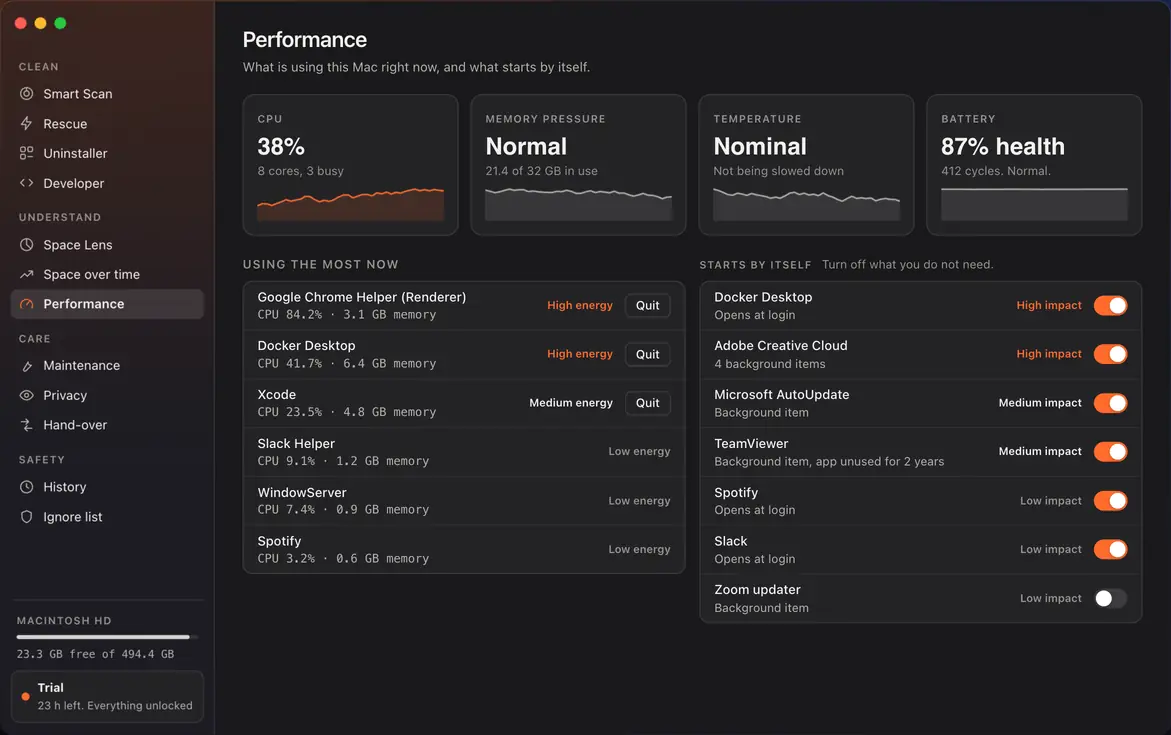
Performance did not load. See it in Features
Maintenance did not load. See it in Features
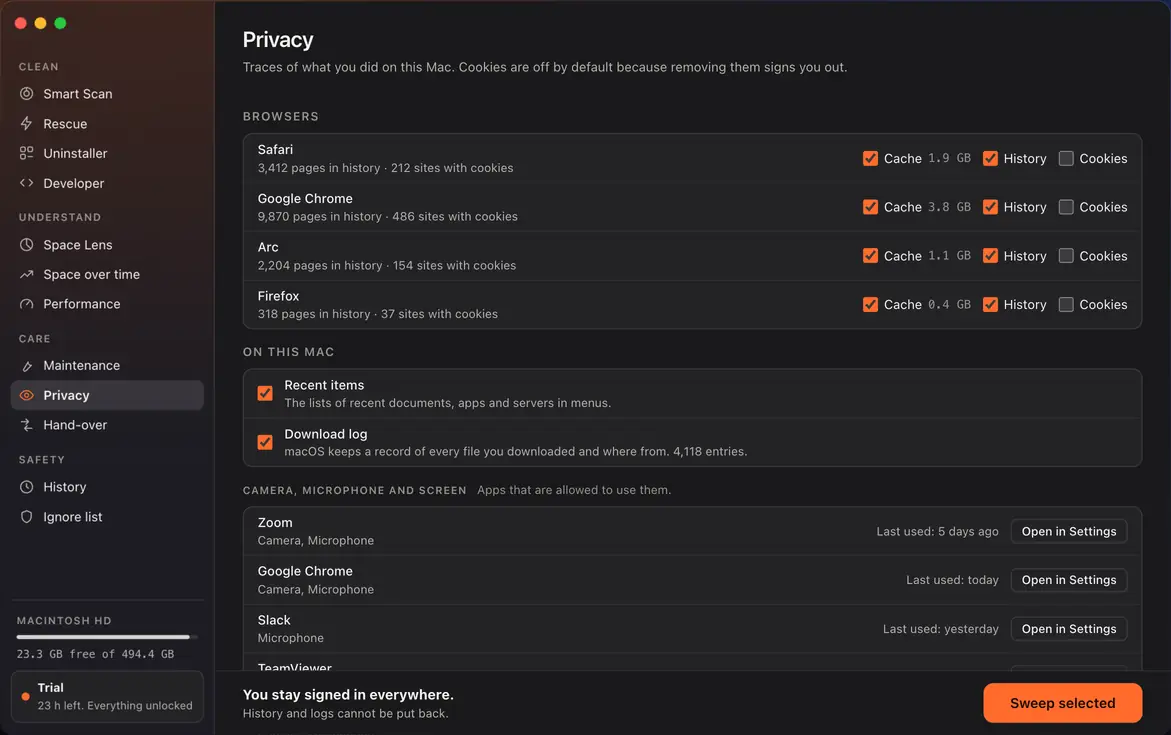
Privacy did not load. See it in Features
Hand-over did not load. See it in Features
Ignore list did not load. See it in Features